CoolRPG Volume I — Player Guide
A Basic Fantasy RPG adventure, built with RPG Maker MZ
Getting Started: Creating Your Character
When you start a new game, you create your character before the adventure begins. The whole process happens on a series of illustrated cards and a parchment character sheet. Here is exactly what happens at each step.
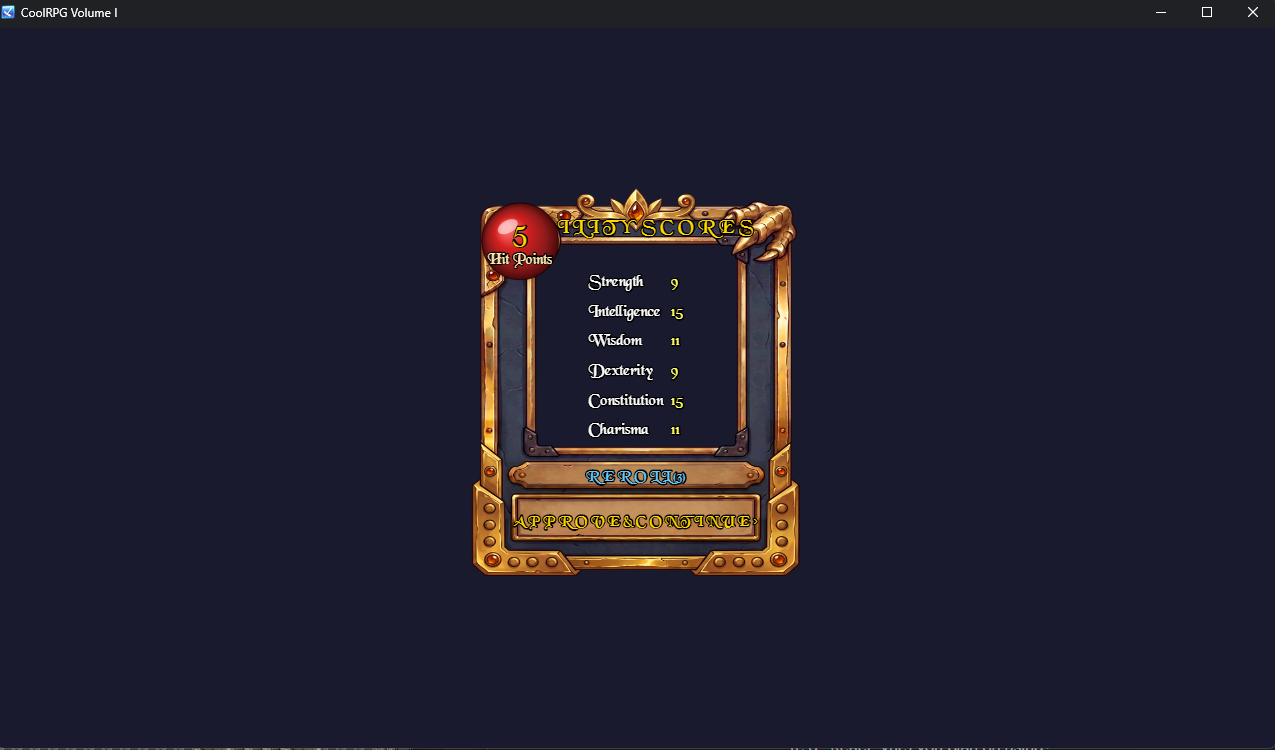
Step 1 — Ability Scores (the Roll Card)
The first thing you see is a single card showing your six ability scores, rolled as 3d6 each:
- Strength (STR) — melee power, carrying capacity
- Intelligence (INT) — Mage spellcasting (the Mage’s Prime Requisite)
- Wisdom (WIS) — Cleric spellcasting (the Cleric’s Prime Requisite)
- Dexterity (DEX) — agility, reflexes, the Rogue’s Prime Requisite
- Constitution (CON) — toughness; affects your Hit Points
- Charisma (CHA) — charm and leadership
In the top-left red orb is your estimated Hit Points (a base value plus your Constitution modifier).
Every class is always available. The four Prime Requisite stats (STR/INT/WIS/DEX) are guaranteed to roll at least 9, so you will never be locked out of a class by a bad first roll.
- REROLL (3) — don’t like your stats? You get 3 rerolls. Each reroll replaces all six scores. The counter shows how many you have left.
- APPROVE & CONTINUE — happy with the rolls? Move on.
Step 2 — Choose Your Sex
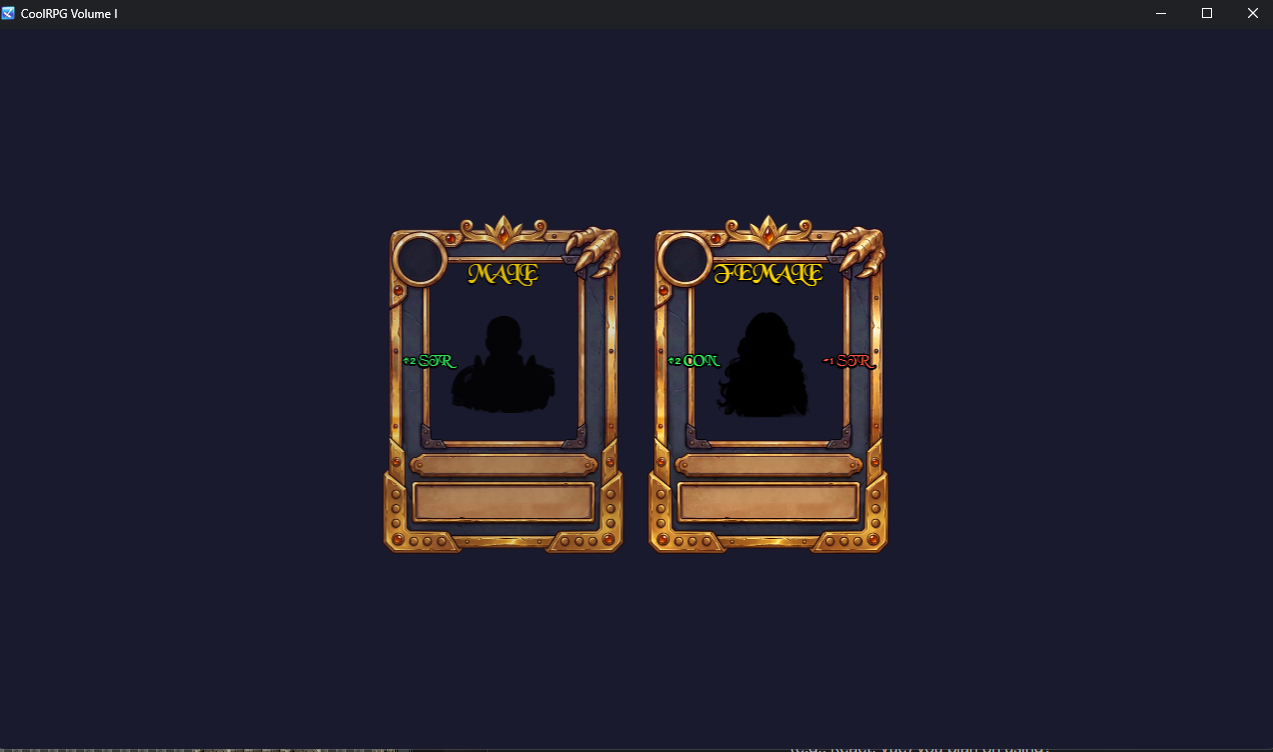
Pick Male or Female. Each gives a small starting stat modifier:
- Male: +2 Strength
- Female: +2 Constitution, −1 Strength
The card shows the modifier in green (a boon) or red (a bane) beside the portrait.
Step 3 — Choose Your Race
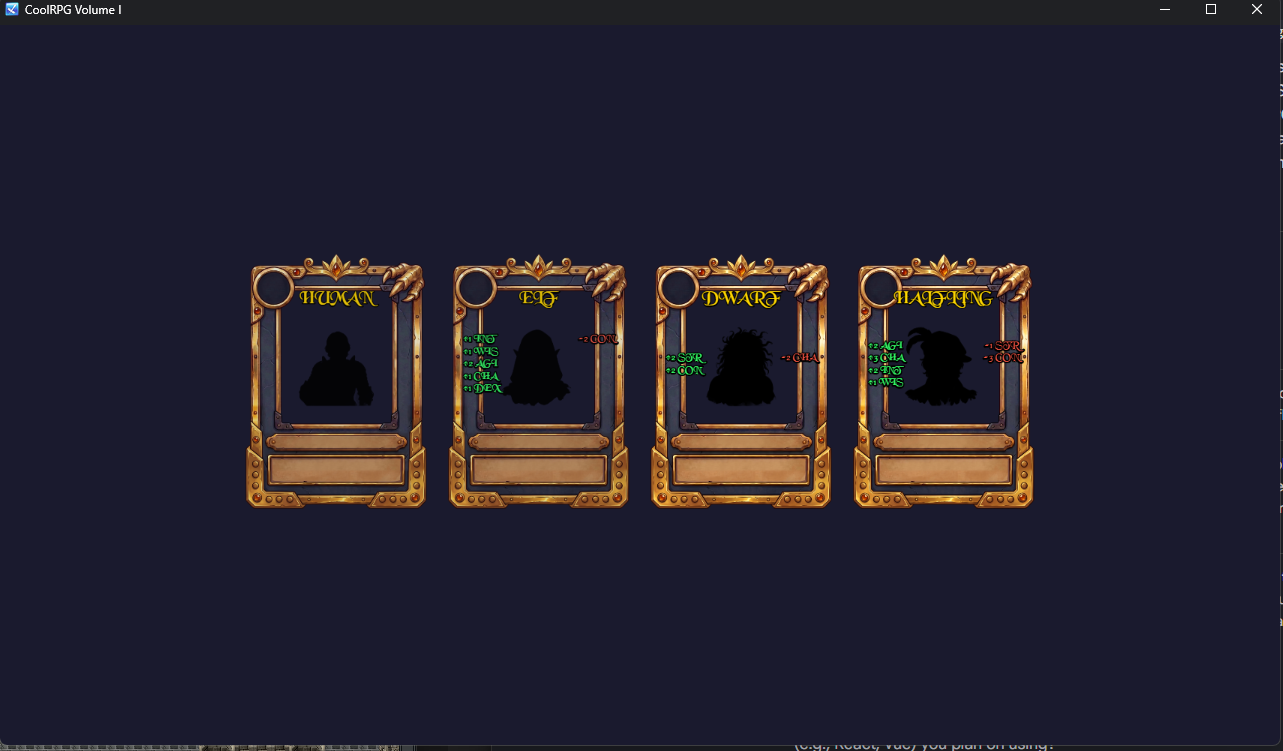
Pick Human, Elf, Dwarf, or Halfling. Each race adjusts your stats — shown as green boons on the left of the portrait and red banes on the right:
| Race | Stat modifiers |
|---|---|
| Human | None — flexible and straightforward |
| Elf | +1 INT, +1 WIS, +2 AGI, +1 CHA, +1 DEX, −2 CON |
| Dwarf | +2 STR, +2 CON, −2 CHA |
| Halfling | −1 STR, +2 AGI, +3 CHA, +2 INT, +1 WIS, −3 CON |
Step 4 — Choose Your Class (Profession)
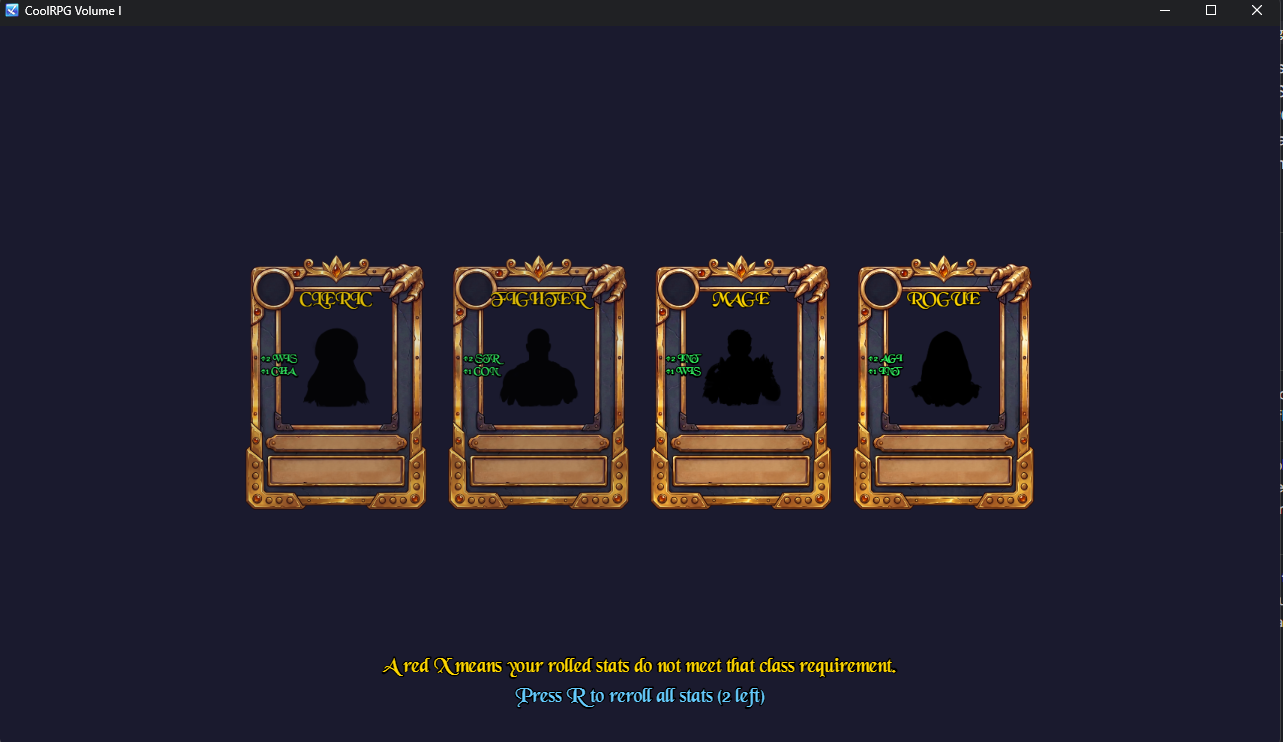
Pick Cleric, Fighter, Mage, or Rogue. Each class has a Prime Requisite — a minimum stat it requires:
| Class | Prime Requisite | Role |
|---|---|---|
| Fighter | STR 9 | Front-line melee; any weapon, any armor |
| Cleric | WIS 9 | Divine magic; blunt weapons, any armor |
| Mage | INT 9 | Arcane spellcasting; dagger/staff, no armor |
| Rogue | AGI 9 | Stealth and precision; any weapon, light armor |
If your current stats (after racial modifiers) don’t meet a class’s Prime Requisite, that class’s card shows a big red X and can’t be chosen. Because your Prime Requisite stats are guaranteed to be at least 9, this should rarely happen — but if you subtract points later (see Step 5) and drop below a requirement, the X returns.
Step 5 — The Character Sheet
This is the parchment sheet where you finalize your character.
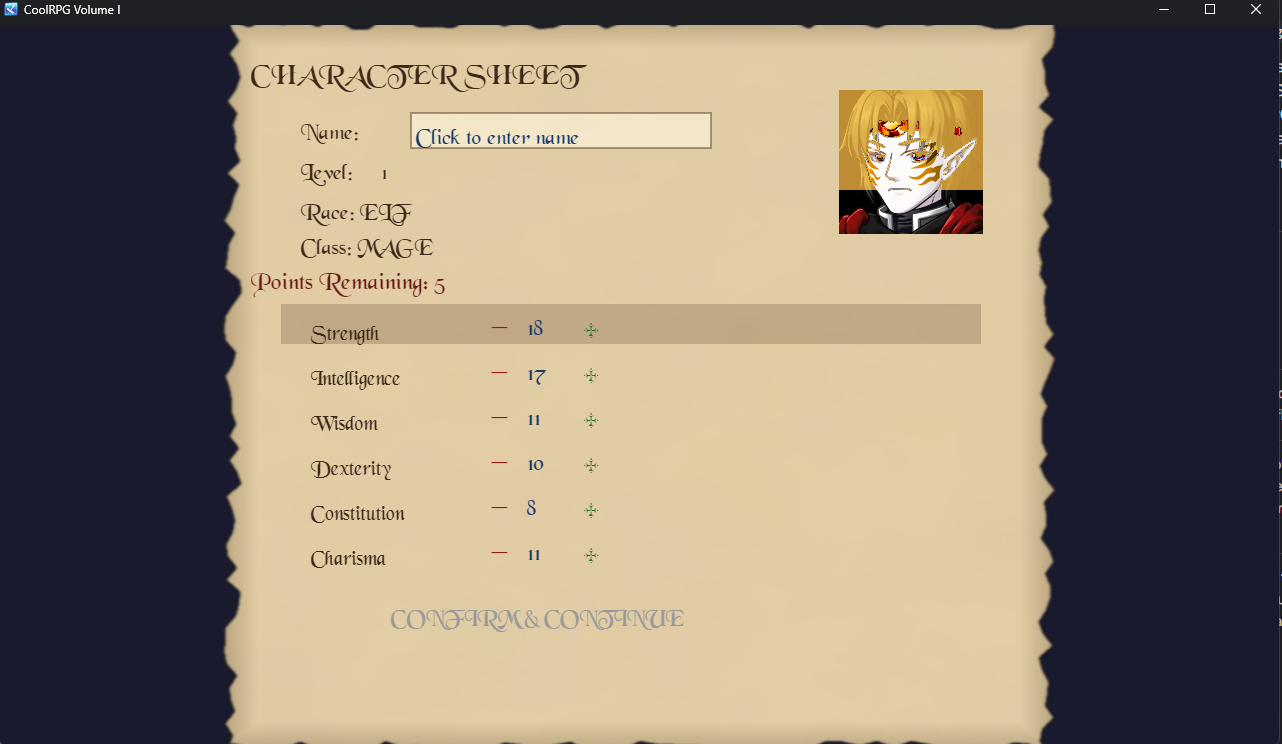
- Name — click the name field to type your character’s name.
- Portrait — your class-and-sex portrait appears top-right.
- Stats — your rolled stats with racial and class modifiers applied.
- Points Remaining (5) — you have 5 bonus points to spend.
- Click + to add a point to a stat.
- Click − to remove a point. You may take a stat down to −1 (a penalty) to gain an extra point to spend elsewhere.
- Warning: if removing a point drops a Prime Requisite below its class minimum, a red X appears and CONFIRM is blocked until you fix it.
- CONFIRM & CONTINUE — available once you’ve spent all 5 points and entered a name.
Step 6 — Mage Only: Choose Your First Spell
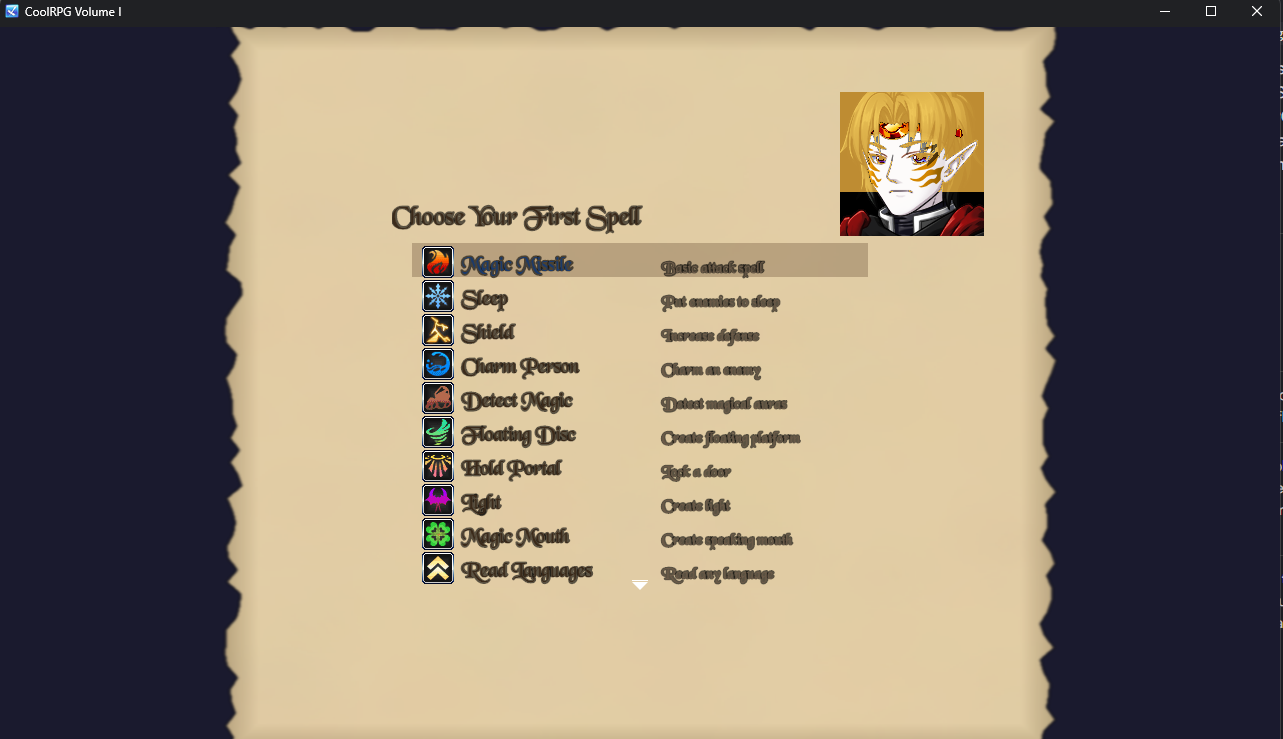
If you picked Mage, a spell list appears. Choose your first 1st-level spell (Magic Missile, Sleep, Shield, Charm Person, and more). Click a spell (or use the arrow keys and Enter) to learn it.
Done — The Hall of Transference
You wake in the Hall of Transference. Open the Weapons Cache chest to receive class-appropriate starting gear, automatically equipped:
- Fighter: Longsword, Chain Mail, Shield
- Cleric: Mace, Shield, Leather Armor, Ring of Protection +1
- Mage: Quarterstaff, Circlet of Protection +1, Cloth Armor
- Rogue: Dagger, Leather Armor, Ring of Protection +1, Shortbow
Then step out into the Western Lands near Morgansfort, your home base.
The Compass & Minimap
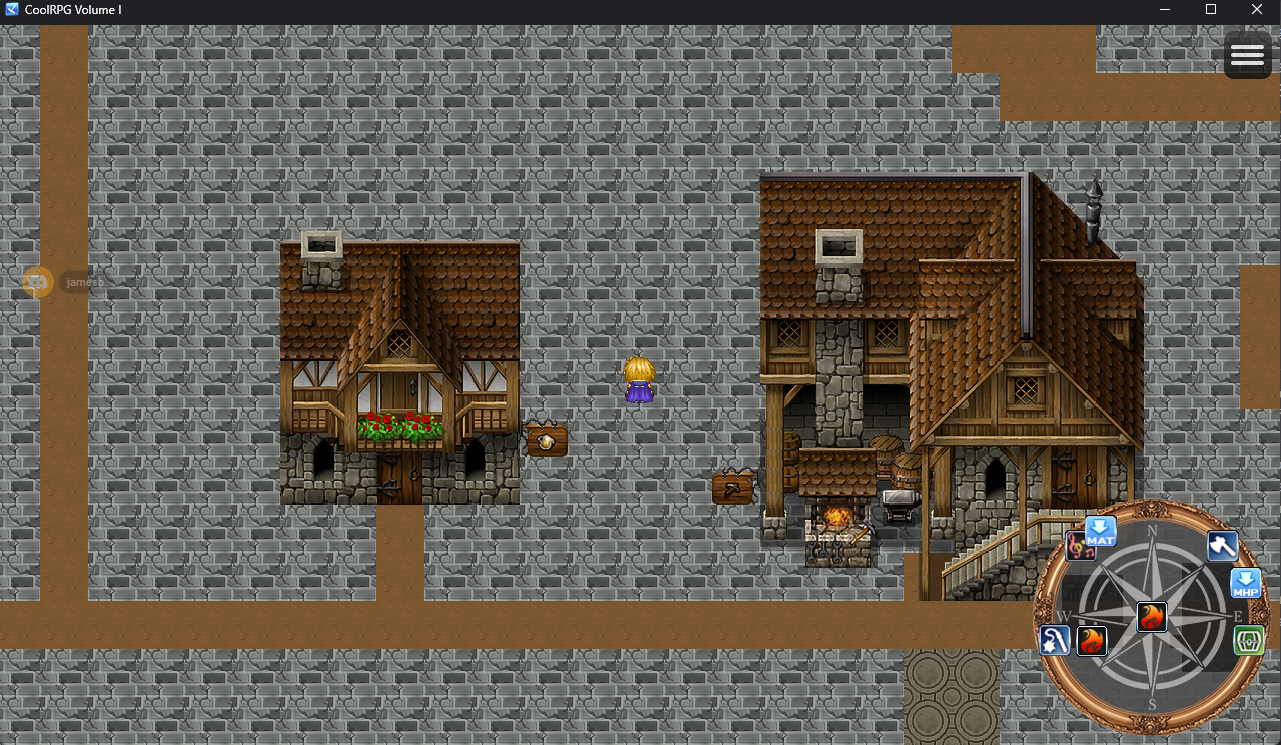
- A proximity compass sits in the bottom-right of the map. Its frame and your class icon (Sword for Fighter, Holy Cross for Cleric, Fireball for Mage, Dagger for Rogue) show your heading and nearby points of interest.
- Press TAB to toggle the large minimap (parchment background).
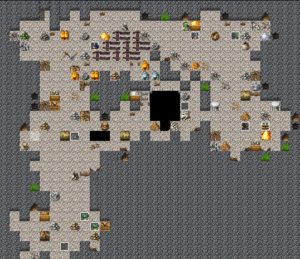
Don’t forget to explore the first dungeon to the north of MorgansFort
We are busy working on the first dungeon to explore as well:
Tips
- Reroll early. You only get 3 rerolls on the roll card — use them before you commit, since you can’t reroll later.
- Meet the Prime Requisite. If a class shows a red X, adjust your points or reroll until its key stat is 9 or higher.
- Mages wear no armor. Cloth only — don’t expect to equip leather.
- Thieves wear light armor. Leather is fine; metal is not.